CSV Editor Pro Description
CSV Editor Pro is the professional option for working with CSV files. It comes with a wide range of tools and features that can help you save time and effort. You can gain analytic insight by creating a graph or pie charts. You can sort, filter, multiline edit, search and substitute, undo, undo printing, drag and drop global search and replacement, error correction, undo, undo, undo, undo, undo, undo, and many other capabilities. The interface is intuitive and simple, but a detailed help file is available.
CSV Editor Pro Alternatives
ONLYOFFICE Docs
ONLYOFFICE Docs is a secure online office suite for teams and businesses of all sizes. Create and edit docs, sheets, slides, fillable forms and PDFs. Collaborate with your teammates in real time using two co-editing modes, version history and other tools. Enable the AI assistant of your choice — ChatGPT, DeepSeek, Mistral, Groq AI, etc. Generate new content, summarize, translate and do more with your favourite AI tool while working on office files.
Integrate ONLYOFFICE Docs into your business platform, whether it be Odoo, Alfresco, Confluence, Pipedrive, Nextcloud, Redmine, SuiteCRM, etc., via an integration app (40+ available integrations).
Use Docs within ONLYOFFICE DocSpace, a room-based document collaboration platform equipped with the online office suite. Create dedicated spaces for different purposes, invite your teammates, assign access permissions and collaborate the way you like. With DocSpace, you can store, share and co-edit office files, and even interact with third parties.
Learn more
MobiOffice
MobiOffice (formerly OfficeSuite) is an easy-to-use office suite alternative, used by over 250 million users across 195 countries. Available on Windows, Android, iOS, and macOS, MobiOffice includes MobiDocs, MobiSheets, and MobiSlides.
MobiOffice helps you manage text documents, spreadsheets, and presentations with ease. It's compatible with all major file formats including Microsoft Office (DOCX, ODT, PPTX), Google (Docs, Sheets, Slides), Apple iWork, and more.
Explore each component:
MobiDocs: Create and modify documents with comprehensive formatting options.
MobiSheets: Simplify data management and analysis to visualize insights and generate reports effortlessly.
MobiSlides: Craft impressive presentations with customizable templates and multimedia capabilities.
MobiOffice integrates with MobiDrive, MobiSystems’ cloud storage solution for easy document saving and synchronization. Try it free for 7 days to see how this office suite meets your needs.
Optimized for all major platforms, MobiOffice’s components - MobiDocs, MobiSheets, and MobiSlides - are available as a complete suite or as standalone apps on Windows, delivering tailored and affordable solutions that suit individual needs.
Learn more
Microsoft Excel
Microsoft Excel, part of Microsoft 365, transforms the way individuals and organizations work with data. It’s a powerful platform for creating dynamic spreadsheets, conducting financial analysis, and uncovering insights through AI-enhanced tools. The new Copilot in Excel uses natural language prompts to generate formulas, analyze trends, and even automate complex data modeling—no coding required. Excel’s integration with Python allows professionals to perform advanced analytics directly within their spreadsheets, bridging the gap between data science and everyday productivity. With PivotTables, charts, and conditional formatting, users can visualize data patterns and make data-driven decisions with confidence. Cloud-based real-time collaboration makes teamwork seamless, letting multiple people coauthor spreadsheets simultaneously from anywhere. Excel’s security, supported by OneDrive and Microsoft Defender, ensures your data remains protected and recoverable. Whether for budgeting, forecasting, or business intelligence, Excel remains the trusted tool for clarity, collaboration, and confidence in every calculation.
Learn more
SSuite Axcel Professional Spreadsheet
This powerful spreadsheet is professional and has all the tools that you need to calculate and analyse your data, summarize it, and present it in colourful graphics or numerical reports.
Complex formulas can be entered quickly and easily with a fully-integrated help system. You can pull in external data via ODBC, sort it and generate subtotals. The chart wizard allows you to choose from eight or more types of 2-D and 3D charts, including line, area and column, pie, XY, stock, and dozens more.
SSuite Axcel allows you to produce financial reports and manage personal expenses with greater efficiency and flexibility. SSuite Axcel Professional has ODBC connectivity that allows you to query any database using a custom SQL query dialog.
Please read the "Read Me!" document first!
Requirements:
. 1366x768 Display Size
. Windows XP / 7 / 8, 10 / 32bit and 64bit
New Online Edition - PWA Enabled: https://carbonplus.ssuiteoffice.com/
Learn more
Pricing
Pricing Starts At:
$29
Pricing Information:
5 activations. Activations are not restricted to one machine or user.
Free Trial:
Yes
Integrations
Company Details
Company:
Gammadyne Corporation
Year Founded:
1998
Headquarters:
United States
Website:
www.gammadyne.com/csv_editor_pro.htm
Media
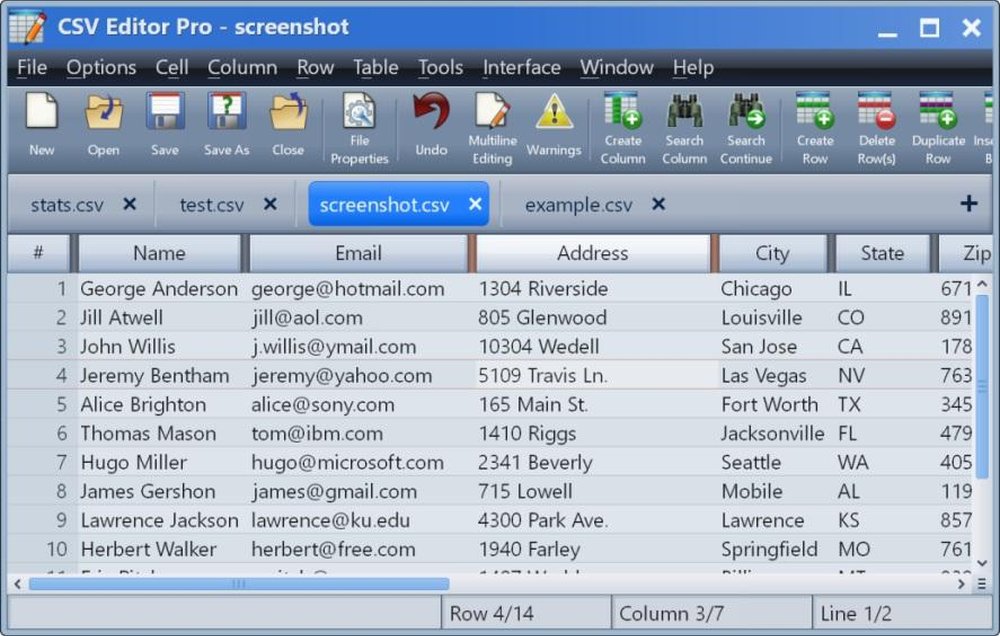
Main interface

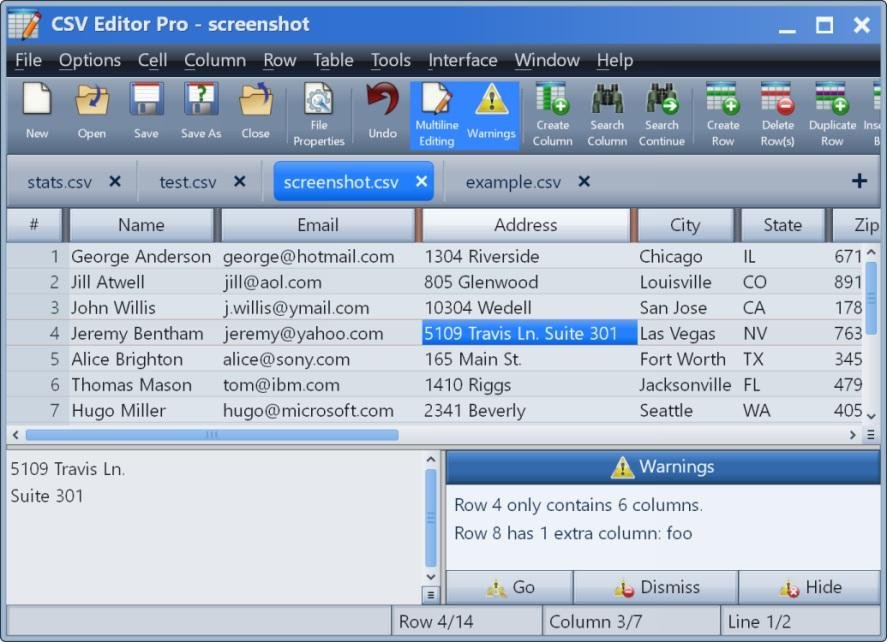


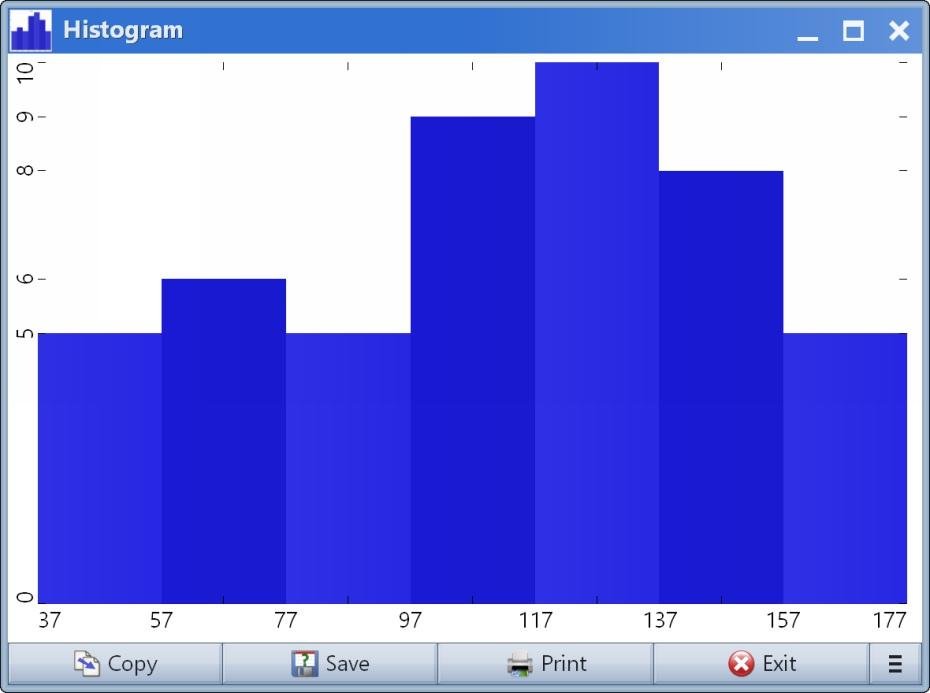

Recommended Products
Our Free Plans just got better! | Auth0
You asked, we delivered! Auth0 is excited to expand our Free and Paid plans to include more options so you can focus on building, deploying, and scaling applications without having to worry about your security. Auth0 now, thank yourself later.
Product Details
Platforms
Windows
Types of Training
Training Docs
Live Training (Online)
Customer Support
Business Hours
Online Support
CSV Editor Pro Features and Options
Spreadsheet Software
Analytics
Audit Trail
Calculators
Charting
Multi-User Collaboration
Templates
CSV Editor Pro User Reviews
Write a Review- Previous
- Next