Average Ratings 0 Ratings
Average Ratings 0 Ratings
Similar Products
-
PaligoPaligo supports teams working with complex technical documentation that needs to grow, adapt, and stay consistent over time. Built specifically for structured content at scale, Paligo enables organizations to treat documentation as a long-term business asset—powered by reuse, automation, and strong content governance. Paligo’s cloud-based CCMS is designed around modular content. Teams can write once, reuse components across multiple outputs, and keep documentation aligned across products, formats, and languages. This reduces manual effort, speeds up updates, and cuts translation overhead, allowing teams to publish faster while minimizing errors. The platform pairs advanced structured authoring capabilities with a modern, approachable interface. This makes Paligo effective for experienced documentation specialists while remaining accessible to contributors across the organization. From creation and collaboration to translation and multichannel delivery, Paligo brings the entire documentation workflow into one controlled environment. Paligo’s purpose is to help organizations move past static, fragmented documentation practices and build content operations that support continuous growth. With Paligo, teams stay in control of complexity and deliver documentation that evolves alongside their business.
-
Process StreetProcess Street is the Compliance Operations Platform built for teams that need to move fast without breaking standards. It combines document control, workflow automation, and AI-powered oversight in a single system so every policy is followed, every step is tracked, and every audit is effortless. Unlike legacy GRC tools or static SOP docs, Process Street turns compliance into a living system. Policies are documented in governed, version-controlled Pages. Those policies are executed through dynamic workflows with built-in task assignment, approvals, and forms. Every action is logged, monitored, and optimized in real time by Cora, our AI compliance agent. Used across industries like financial services, real estate, healthcare, and manufacturing, Process Street helps teams automate employee onboarding, streamline audits, manage policy updates, enforce vendor reviews, and run critical processes at scale. No code required. No micromanagement. Just proof that work gets done right, every time. Companies like Salesforce, Colliers, Drift, and Hartford Healthcare trust Process Street to eliminate busywork, improve operational visibility, and reduce compliance risk across the business. With native integrations, role-based access, audit trails, and ISO-aligned workflows, it is the platform that makes compliance a competitive advantage. From onboarding to audits, Process Street is how high-stakes teams enforce standards, automate execution, and prove compliance by default.
-
Interfacing Integrated Management System (IMS)Interfacing’s Integrated Management System (IMS ) is an AI-supported platform that brings BPM, QMS, Document Control, and GRC together in one environment. Teams use IMS to design and manage processes, govern documentation, oversee risks, and demonstrate compliance with complete visibility and reliable audit evidence. Built for sectors that depend on strict oversight, such as aerospace, life sciences, public sector, and financial services, IMS offers real-time monitoring, automated workflows, and AI-driven analytics that strengthen quality and lower operational exposure. The system is ISO 27001 certified and validated for 21 CFR Part 11, ensuring secure and compliant use in regulated operations. IMS also provides low-code automation, process mining, audit tools, training management, CAPA workflows, and dashboards that help organizations improve performance and maintain regulatory control. AI enhances governance, improves precision, and supports continuous compliance.
-
ClickLearnClickLearn simplifies complex business processes using popular software. You can create multi-format learning materials in any language and publish them to a 24/7 learning portal with just one click. A video walkthrough of the process, with narration in your preferred language. Put your learning to the test. This interactive simulation of your workplace allows you to test your knowledge without any hints. Interactive simulation of your workplace environment that guides you through the process. This guide is step-by-step. ClickLearn wrote this guide with perfectly cropped screenshots. ClickLearn Assist can be your go-to helper when you are stuck, need process help, or want to try a new process in the live system. You don't have to worry about making another mistake. All your learning materials can be auto-translated with a click of a button
-
Centrex SoftwareOur powerful Customer Relationship Management software (CRM) can help you increase productivity, generate more revenues, and improve engagement. Manage your advance/loan portfolio. Integrated with ACH processors. Includes broker portal and syndicate reporting. Send email and SMS campaigns, send/receive SMS messages, track email openings, and much more. ClixSign® allows you to send any document for electronic signature. You can see when documents have been viewed and signed by up 8 signers. Your customers can access a branded portal that allows them to upload documents, view messages and track balances/payments. The most up-to-date contact and deal management software allows you to see the entire pipeline. Centrex Software provides custom software development solutions. We assist customers in building web and mobile apps for any purpose.
-
Perplexity ComputerPerplexity Computer is a super agent platform that autonomously executes complex projects based on simple user instructions. Instead of requiring step-by-step prompting, users describe their desired end product, and the system decomposes the task into coordinated workflows handled by multiple AI models. It supports website creation, in-depth research reports, structured datasets, and multimedia production within one unified interface. The system intelligently routes tasks to the most appropriate models for research, visual generation, video production, or rapid search. Built for long-running execution, it can manage multi-stage assignments independently for extended periods. By removing the need to manually select or switch between AI tools, it simplifies sophisticated workflows into a seamless experience. The platform emphasizes outcome delivery rather than model management. Its orchestration layer ensures efficiency, adaptability, and task-specific optimization. Perplexity Computer enables users to move from concept to completed project with minimal friction. It represents a shift toward fully autonomous AI systems designed to handle end-to-end digital production.
-
RegDeskRegDesk is the most comprehensive AI-enabled RIMS platform for Medical Devices, Pharmaceuticals, and IVD companies. • Our proprietary Regulatory Intelligence for over 120+ countries is translated and accessible in a standard format. In addition, it provides alerts on evolving regulatory changes • Our AI-powered Application Builder allows RA teams to prepare and publish global applications in 1/10th of the time • Our Change Assessment capability helps RA teams understand the impact of the change(s) on an existing product(s) and the action required • Our Distributor Collaboration provides seamless workflow solutions to interact, communicate, and share documents with external business partners • Our Standards Management makes it easy for RA teams to search and manage not only international but also country-specific standards • Our Tracking & Reporting functionality allows teams to track regulatory projects across the globe, receive renewal notifications, and generate reports on KPIs within seconds For more information, visit our website.
-
CXT SoftwareCXT Software is redefining delivery logistics with technology that’s autonomous, intelligent, and built for trust. Designed for courier and last-mile delivery companies, our platform empowers teams to automate dispatching, streamline operations, and ensure secure, compliant deliveries. From recurring route work to time-critical shipments in industries like healthcare, retail, and distribution, CXT helps logistics businesses scale with confidence. Our complete solution includes robust operations tools, a high-performing driver app, and a configurable client portal — all working together to simplify logistics management and improve service outcomes. With more than 25 years of innovation behind us and a customer base across North America, we are leading the evolution from manual processes to AI-powered TMS platforms that think ahead, respond instantly, and run with minimal oversight. Ready to modernize your delivery operations? Schedule a no-pressure demo and see what’s possible with CXT Software.
-
onPhaseonPhase is a comprehensive financial automation platform that helps businesses optimize their back-office operations. By automating processes like invoice capture, approvals, and payments, onPhase reduces manual errors and speeds up workflows. The AI-powered system ensures that invoices are processed accurately through intelligent 2-way, 3-way, or 4-way matching, improving financial transparency. It also provides powerful document management capabilities, keeping contracts, W-9s, and receipts secure and audit-ready. The platform integrates with leading ERP systems like NetSuite, SAP, and Microsoft Dynamics, ensuring smooth data flow across various systems and real-time updates, which enhances organizational efficiency. With onPhase, companies can focus more on strategic tasks while automating routine back-office functions.
-
MelioMelio is an accounts payable platform designed to simplify bill payments, improve workflows, and maximize cash flow efficiency for businesses of all sizes. To get started, try all of Melio's features free for 30 days! You can pay vendors online using bank transfers or credit/debit cards—even if they only accept checks—while Melio takes care of the manual tasks. Integrate seamlessly with QuickBooks and Xero to keep your accounting up-to-date. Melio allows you to pay through bank transfer or card, helping you extend your cash flow and gain rewards. Enter vendor or bill details manually, upload, or snap a photo of the invoice—it’s that simple. Schedule payments according to your cash flow plan and let Melio manage them. Additionally, you can pay international vendors in their local currency for services and products. On-the-go? No problem, just get the Melio mobile app on iOS or Android to manage your payments, process approvals, and much more no matter where your business day takes you.
Description
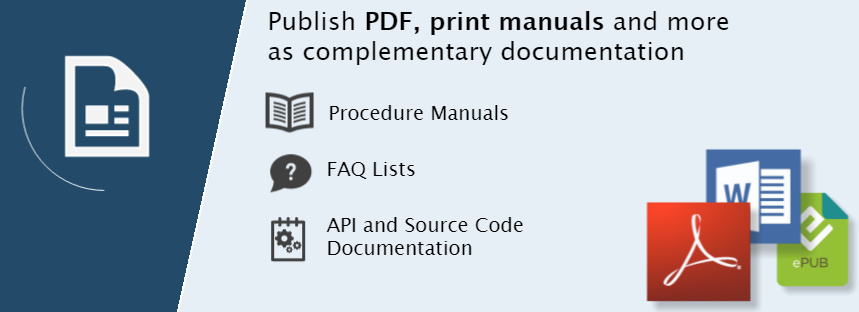
Help+Manual is a fully featured documentation tool. It is as simple as a word processor but much more powerful. It gives you the power and flexibility of an XML editor. This tool also includes powerful features to generate and edit help and documentation files, including full support of multimedia and complex modular projects. It doesn't matter if you want to publish documentation for desktop, mobile, iOS, Android, Windows help, or PDF user manuals. Help+Manual makes it easy! Single source documentation is more than simply putting the same information in different formats. Conditional tags can be used to mark content and create different outputs for each publication channel. No post-processing is necessary. Help+Manual takes care of the complicated aspects of documentation generation. However, power users can access the code to modify topic and layout templates, and much more. Help+Manual offers the best of both worlds.
Description
HelpNDoc offers a comprehensive set of features designed for crafting thorough help files and documentation. The platform encompasses everything from the table of contents to the final layout of the documentation, ensuring a complete solution. Its user interface is thoughtfully designed for clarity and efficiency, utilizing the familiar ribbon layout first established by Microsoft Office, while contextual editing tools, like those for images and tables, appear only when relevant, enhancing usability. With essential tools embedded within the software, including a table of contents editor, a WYSIWYG topic editor, a keywords editor, and a library, HelpNDoc streamlines the process of creating outstanding documentation. Additionally, the inclusion of a robust word processor allows users to feel instantly comfortable as they navigate through their writing tasks, making the overall experience even more enjoyable and productive. This makes HelpNDoc not just a tool, but a supportive environment for anyone looking to produce high-quality documentation.
API Access
Has API
API Access
Has API




Integrations
Microsoft 365
Microsoft Word
Adobe Document Cloud
Adobe RoboHelp
DeepL
SnipSVG
Visual Studio
XML
Integrations
Microsoft 365
Microsoft Word
Adobe Document Cloud
Adobe RoboHelp
DeepL
SnipSVG
Visual Studio
XML
Pricing Details
€498 one-time payment
Free Trial
Free Version
Pricing Details
€149.50 one-time payment
Free Trial
Free Version
Deployment
Web-Based
On-Premises
iPhone App
iPad App
Android App
Windows
Mac
Linux
Chromebook
Deployment
Web-Based
On-Premises
iPhone App
iPad App
Android App
Windows
Mac
Linux
Chromebook
Customer Support
Business Hours
Live Rep (24/7)
Online Support
Customer Support
Business Hours
Live Rep (24/7)
Online Support
Types of Training
Training Docs
Webinars
Live Training (Online)
In Person
Types of Training
Training Docs
Webinars
Live Training (Online)
In Person
Vendor Details
Company Name
Help+Manual
Country
Austria
Website
www.helpandmanual.com/index.html
Vendor Details
Company Name
HelpNDoc
Country
France
Website
www.helpndoc.com/feature-tour/
Product Features
Help Authoring Tools
Collaboration Tools
Content Library
Drag & Drop Editing
Image Library
Import HTML / Word
Multi-Format Output
Offline Editing
Preview Output
Screenshot Tool
Search
Templates
Text Editor / Word Processor
Translation Tools
Version Control
Software Documentation
Access Roles / User Permissions
Automatic Documentation Generation
Collaboration Tools
Docs Web Hosting
Feedback Capture
Markdown Support
Multiple Formats Support
Multiple Versions Support
Version Control
WYSIWIG Editor
Webhooks
reStructured Text Support
Product Features
Help Authoring Tools
Collaboration Tools
Content Library
Drag & Drop Editing
Image Library
Import HTML / Word
Multi-Format Output
Offline Editing
Preview Output
Screenshot Tool
Search
Templates
Text Editor / Word Processor
Translation Tools
Version Control
Software Documentation
Access Roles / User Permissions
Automatic Documentation Generation
Collaboration Tools
Docs Web Hosting
Feedback Capture
Markdown Support
Multiple Formats Support
Multiple Versions Support
Version Control
WYSIWIG Editor
Webhooks
reStructured Text Support



